0%

Troubleshooting for senders with email delivery issues - Gmail Help

Troubleshooting for senders with email delivery issues - Gmail Help

Troubleshooting for senders with email delivery issues - Gmail Help

Skip to main content

Gmail Help

Send feedback on…

This help content & information

General Help Center experience

Next

Gmail

Stay on top of everything that’s important with Gmail’s new interface. Learn more about the new layout.

Troubleshooting for senders with email delivery issues

To ensure your mail is delivered to Gmail users, comply with our Email Senders Guidelines. If you still can’t resolve your issue, this page can help you troubleshoot.

What is the issue?Sent emails are “Temp failed / Rejected” or classified as “Spam/Phishing”Sent emails are “Temp failed / Rejected” or classified as “Spam/Phishing”Sent emails are delivered to the wrong inbox category

From where do you send messages that are blocked or filtered to Spam?I send from my own domainI send from Gmail or a G Suite-hosted domainI send from my own domainI represent a third-party sender (an ISP, e.g.)

Skip to main content

Messages from your domain can be flagged as spam if your servers are used as an open relay or have been compromised by a virus or malware. You can run a scan of your system to check for these problems.

Search Help Center

true

17

false

Was your email server compromised?NoYes, but I fixed the problemNo

Was the email unauthenticated?NoYes, but I fixed the problem No

Skip to main content

Please verify that you:

  • Sign messages with DKIM. Gmail doesn’t authenticate messages signed with keys that use fewer than 1024 bits.
  • Publish a SPF Record.
  • Publish a DMARC policy.

Search Help Center

true

17

false

Were your subscription practices incomplete?Yes, but I fixed the problemNo

Was your problem caused by an affiliate?Yes, but I fixed the problemNo

Was this helpful?

How can we improve it?

YesNo

Submit

true

Rejected messages

català‎dansk‎Deutsch‎English (United Kingdom)‎español‎español (Latinoamérica)‎Filipino‎français‎hrvatski‎Indonesia‎italiano‎latviešu‎lietuvių‎magyar‎Melayu‎Nederlands‎norsk‎polski‎português‎português (Brasil)‎română‎slovenčina‎slovenščina‎suomi‎svenska‎Tiếng Việt‎Türkçe‎čeština‎Ελληνικά‎български‎русский‎српски‎українська‎‏עברית‏العربية‏فارسیमराठी‎हिन्दी‎தமிழ்‎తెలుగు‎ไทย‎中文(简体)‎中文(繁體)‎日本語‎한국어‎ English‎

English‎

  1. català‎
  2. dansk‎
  3. Deutsch‎
  4. English (United Kingdom)‎
  5. español‎
  6. español (Latinoamérica)‎
  7. Filipino‎
  8. français‎
  9. hrvatski‎
  10. Indonesia‎
  11. italiano‎
  12. latviešu‎
  13. lietuvių‎
  14. magyar‎
  15. Melayu‎
  16. Nederlands‎
  17. norsk‎
  18. polski‎
  19. português‎
  20. português (Brasil)‎
  21. română‎
  22. slovenčina‎
  23. slovenščina‎
  24. suomi‎
  25. svenska‎
  26. Tiếng Việt‎
  27. Türkçe‎
  28. čeština‎
  29. Ελληνικά‎
  30. български‎
  31. русский‎
  32. српски‎
  33. українська‎
  34. ‏עברית
  35. ‏العربية
  36. ‏فارسی
  37. मराठी‎
  38. हिन्दी‎
  39. தமிழ்‎
  40. తెలుగు‎
  41. ไทย‎
  42. 中文(简体)‎
  43. 中文(繁體)‎
  44. 日本語‎
  45. 한국어‎
  46. English‎

Enable Dark Mode

Send feedback about our Help Center

Search Help Center

Google Help

* Help Center* Community* Gmail

* Privacy Policy* Terms of Service* Submit feedback

true

17

Send feedback on…

This help content & information General Help Center experience

false

Search

Clear search

Close search

Main menu

Google apps

Google Account

Pearl Jewelry

pearlstrandwholesale@gmail.com

bsycorp/kind: Kubernetes-in-Docker - A single node cluster to run your CI tests against thats ready in 30 seconds

来源:bsycorp/kind: Kubernetes-in-Docker - A single node cluster to run your CI tests against thats ready in 30 seconds

摘录内容

Other projects:

  1. https://github.com/kubernetes/minikube/tree/master/deploy/docker (Deprecated)
  2. https://github.com/kubernetes/test-infra/tree/master/dind (Replaces no.1)
  3. https://github.com/kubernetes-sigs/kubeadm-dind-cluster/ (more info: http://callistaenterprise.se/blogg/teknik/2017/12/20/kubernetes-on-docker-in-docker/)

想法

mindsdb/mindsdb: In-Database Machine Learning

来源:mindsdb/mindsdb: In-Database Machine Learning

摘录内容

mindsdb:用 SQL 开启机器学习的数据库。把机器学习引入 SQL 数据库将模型作为虚拟表(AI-table),从而省去了数据准备、预处理等步骤,可以直接用 SQL 查询时间序列、回归、分类预测的结果,实现简化机器学习开发流程的效果
MindsDB ML-SQL Server enables machine learning workflows for the most powerful databases and datawarehouses using SQL.

  • Developers can quickly add AI capabilities to your applications.
  • Data Scientists can streamline MLOps by deploying ML models as AI Tables.
  • Data Analysts can easily make forecasts on complex data (like multivariate time-series with high cardinality) and visualize them in BI tools like Tableau.

If you like our project then we would really appreciate a Star ⭐!

Also, check-out the rewards and community programs.

想法

github不能使用账户密码登陆了? github的token使用(超详细)_CPerdst的博客-CSDN博客_github token怎么用

然后使用git remote来查看自己的 url,git branch -v 查看自己的分支,使用git remote set-url <your_url> https://<your_token>@github.com//.git 来更新自己的 url
使用git push <your_url> 来更新 github
最近想把自己写的几个小程序上传到github上面,但是 github 那端已经不让使用账号密码进行验证登录了,所以在此做一个自己总结的 github token 使用教程来记录一下,以防以后再不会用了。


一,生成自己的 token

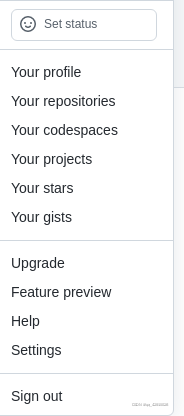
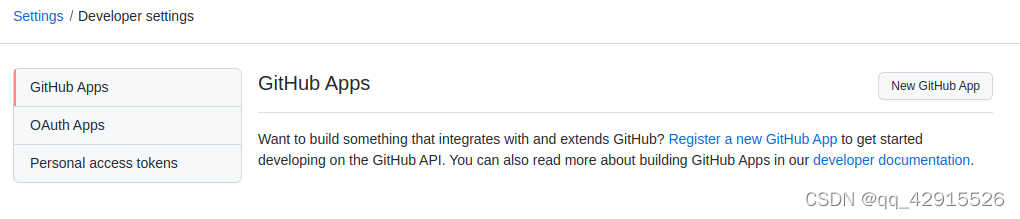
首先选择 setting 进入设置,然后在进入 Developer setting,选择生成私人 token。

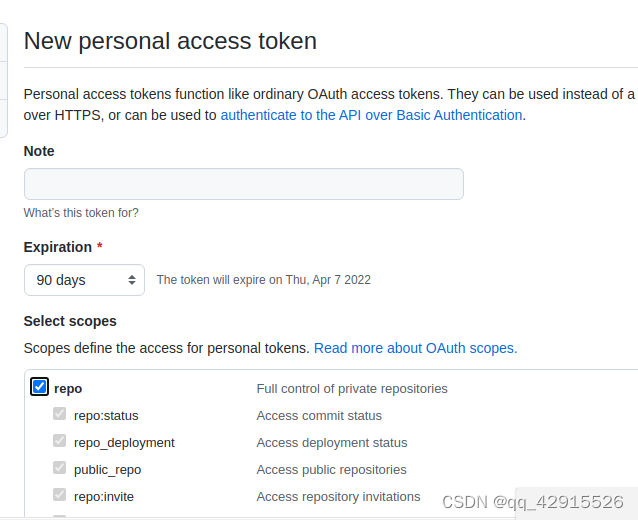
note 随便写,天数尽量选长点时间,选上 repo 才能用 git 指令操作自己的 repositories。

二,使用 token

可以从自己的 github 上面 clone 一个项目,例如:

值得注意的是它的格式是这样的:

你在 github 上的原始 url: https://github.com//.git

而你现在需要 clone 的则是:https://<your_token>@github.com//.git

<your_token>是你自己刚刚生成的 token,

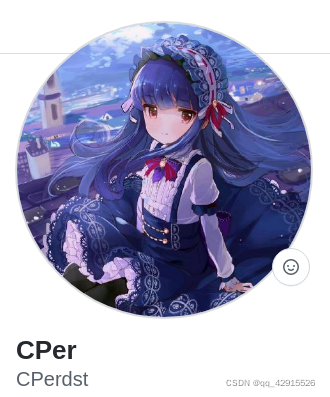
是自己设置的,你可以从这里查看(是下面的(CPerdst)):

如果正常的话,现在你已经将自己在 github 上的项目下载下来了(如果没有,建议开一下代理,毕竟 github 是国外的网站),现在就可以继续写自己的项目了,我这里为了演示就直接随便创造一些文件来代替。

现在进入自己的项目:

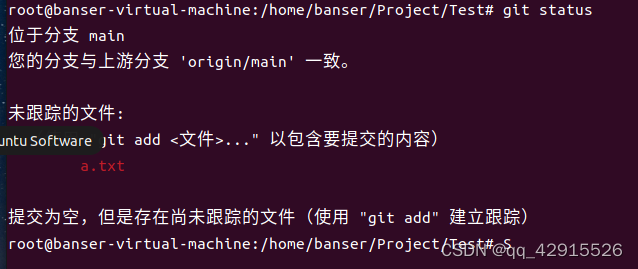
使用git status查看当前的状态

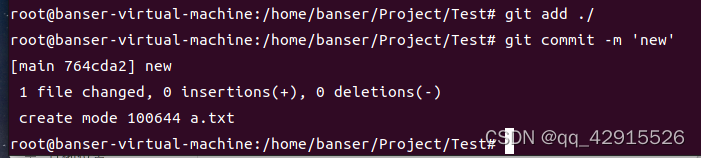
使用git add ./来确定更改,然后使用git commit -m ‘your update message’添加提交信息。

然后使用git remote来查看自己的 url,git branch -v 查看自己的分支,使用git remote set-url <your_url> https://<your_token>@github.com//.git 来更新自己的 url

使用git push <your_url> 来更新 github

补充:如果当使用 git push 的时候没有显示账户密码可以使用 git config –system –unset credential.helper 更新。

或者使用 git reset 重置一下

引自: (21 条消息) github 开发人员在七夕搞事情:remote: Support for password authentication was removed on August 13, 2021._星空 - CSDN 博客_github 开发人员在七夕搞事情
https://blog.csdn.net/qq_42915526/article/details/122362565?spm=1001.2101.3001.6661.1&utm_medium=distribute.pc_relevant_t0.none-task-blog-2%7Edefault%7ECTRLIST%7ERate-1-122362565-blog-120060010.pc_relevant_antiscanv3&depth_1-utm_source=distribute.pc_relevant_t0.none-task-blog-2%7Edefault%7ECTRLIST%7ERate-1-122362565-blog-120060010.pc_relevant_antiscanv3&utm_relevant_index=1

deeplearning-ai/machine-learning-yearning-cn: Machine Learning Yearning 中文版 - 《机器学习训练秘籍》 - Andrew Ng 著

来源:deeplearning-ai/machine-learning-yearning-cn: Machine Learning Yearning 中文版 - 《机器学习训练秘籍》 - Andrew Ng 著

摘录内容

Machine Learning Yearning 中文版

访问此处 开始在线阅读《机器学习训练秘籍》样稿,希望这本书对你们有所帮助!当前样稿仅供内容预览,非最终版本(历史版本可以在 release 中找到)。

想法

xxh/xxh: 🚀 Bring your favorite shell wherever you go through the ssh.

来源:xxh/xxh: 🚀 Bring your favorite shell wherever you go through the ssh.

摘录内容

You stuffed command shell with aliases, tools and colors but you lose it all when using ssh. The mission of xxh is to bring your favorite shell wherever you go through ssh without root access and system installations.

想法